Ten years ago my new family and I moved from apartments into a single family rental. While most would be excited about having more space, I was excited about having my own backyard to take care of.
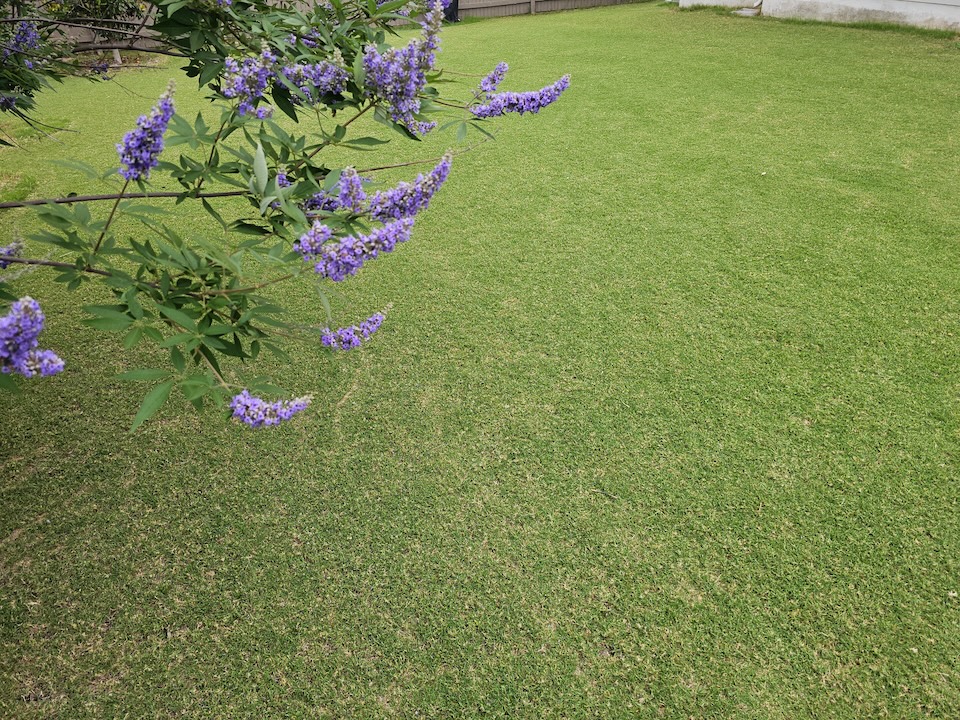
Fig 01. The outcome
The habit must have originated with a childhood taking care of my grandfather’s lawn whenever we’d visit him in suburban Detroit. My siblings, cousins, and I did a lot of watering, mowing and cleaning up weeds. We were equal parts annoyed having to do work, happy to please him, and having a blast being outside in the Michigan summers.
One challenge I’ve had taking care of my recent lawn while trying to level up with bermuda in central Texas: how to keep track of the details. My most recent method has been a saved email draft to my wife with all of the notes ready to go.
No more: this spring, I’ve solved my inconsistency with a git repo, markdown files, and a generative AI skill that knows my lawn.
The problem: I keep forgetting what I’ve already done Link to heading
Every few weeks, I’ll spend a weekend morning researching dosage of pre-emergent and post-emergent, researching when to fertilize, trying to remember how much my backpack sprayer covered with its 4 gallons, and more. I’d drive to the local gardening store looking for a specific fertilizer ratio of nitrogen, phosphorus, and potassium (not finding it at the store) and repeat the process standing in the aisles.
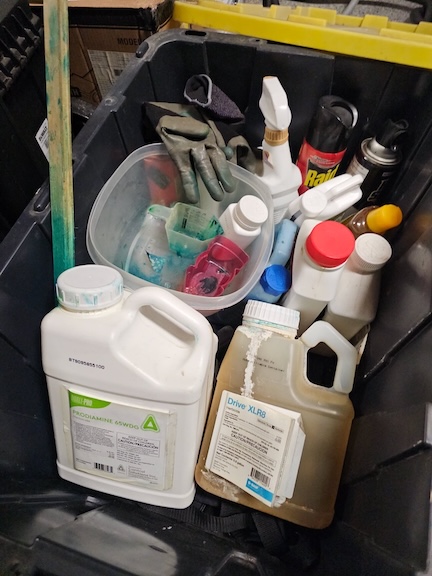
Fig 02. An assortment of products
Doing this every time I have lawn chores adds to the overall mental effort and time required to get things done. Keeping it in my head, in receipts, email drafts, and in the occasional phone screenshot of a product label wasn’t ideal.
An indirect motivation to improve: openclaw Link to heading
On a weekend I wasn’t thinking about my lawn, I decided to use some free time to try out the latest generative AI craze: openclaw. Think of openclaw as a simple way to automate common tasks in your life via an always-on agentic framework you can interact with through common methods like SMS, WhatsApp, Slack, and email.
It was clear to me that automation in openclaw is common and easy to do, so naturally I focused on day-to-day concerns: kids soccer schedules, shopping lists, and home automation.
It dawned on me: once and for all I could keep track of my lawn journey and use openclaw to help me be proactive about scheduled tasks as well. I wouldn’t have to take extensive notes and research what came before, I could interact with my openclaw agent interactively and get the result I needed with low cognitive load.
Shutting down openclaw and my new alternative Link to heading
I later shut down openclaw because I was noticing roughly $2/day Amazon Bedrock token spend while idle. I learned about openclaw’s “heartbeat” capability that runs periodically to discover scheduled tasks. While there are easy ways to lower costs by reducing frequency and using lower cost models for the heartbeat, I decided to step back for now and may return some day.
For now, I decided to simplify my lawn journaling process as a “skill” within the journal repository itself so any agentic harness could pick it up.
Skills are a term used with agentic harnesses like Claude Code, OpenAI Codex, and Kiro by Amazon Web Services (AWS). They are plain-language markdown files that define a reusable workflow for any repeatable task.
Skills can be as complex as a technical software integration using APIs, code, and scripts, or as simple as writing a lawn journal with solid references and good data.
The setup: a git repo with a Claude Code skill Link to heading
I decided to use the following flow:
- Store the journal in a Github repository
- Create a skill used by an agentic harness to create entries in a structured way
- Use the skill in Claude Code to create new entries and store them in Github
The repository uses a simple structure:
lawn-journal/
├── .claude/
│   └── skills/
│       └── lawn-journal/
│           └── SKILL.md
│           └── resources.md
└── lawn/
    ├── 2026-03.md
    └── 2026-05.md
Rather than spreading the lawn journal across many files, I’m aggregating by the month. It may be easier to group by quarter given how infrequently I need to log activity.
Each entry looks like this:
## 2026-05-07

- **Task:** 🌿 Fertilizer application
- **Area:** Full lawn (front + back)
- **Products used:**
  - *Sta-Green Performance Max* (30-0-3) — granular all-purpose
    fertilizer; **1 × 14.4 lb bag** applied (rated 4,800 sqft)
- **Notes:** First in-season fertilizer of 2026. High-N (30%) suits
  bermuda actively growing in May; potassium (3%) supports root
  health. Bought 2 bags on sale at Lowes ($7/bag) — applied one,
  second bag in storage for the next round.
The skill captures everything Claude Code needs to know to be useful in this repo without me having to re-explain it every session:
- My lawn profile. Grass type, square footage, mower setup, sprinkler controller.
- My products and mixing rates. Prodiamine 45WDG, Sedgehammer, Drive XLR8. 4 gallon backpack sprayer. Surfactant and dye.
- Seasonal timing for central Texas. Reminders for when I need to apply pre-emergent, fertilizer, and when to begin scalping/aerating the lawn.
- Workflows. How to log a task (read the current month file, append, commit). How to answer “when did I last X” (grep the lawn directory). How to give proactive advice (“if soil is already over 55°F and no Prodiamine is logged this season, flag it as overdue”).
- References to consult. Texas A&M AgriLife Extension has great resources for bermuda in central Texas, as well as other reputable sources online.
When I open Claude Code in that repo, it loads the skill automatically. I can say “log that I applied Sta-Green today” and it knows the file format, the date, where the file lives, and how to commit it. I can ask “when did I last apply Prodiamine?” and it answers with a date and a citation to the file. I can ask “what should I do this month?” and it cross-references my history with the seasonal calendar baked into the skill.
What’s next Link to heading
A few things I want to add:
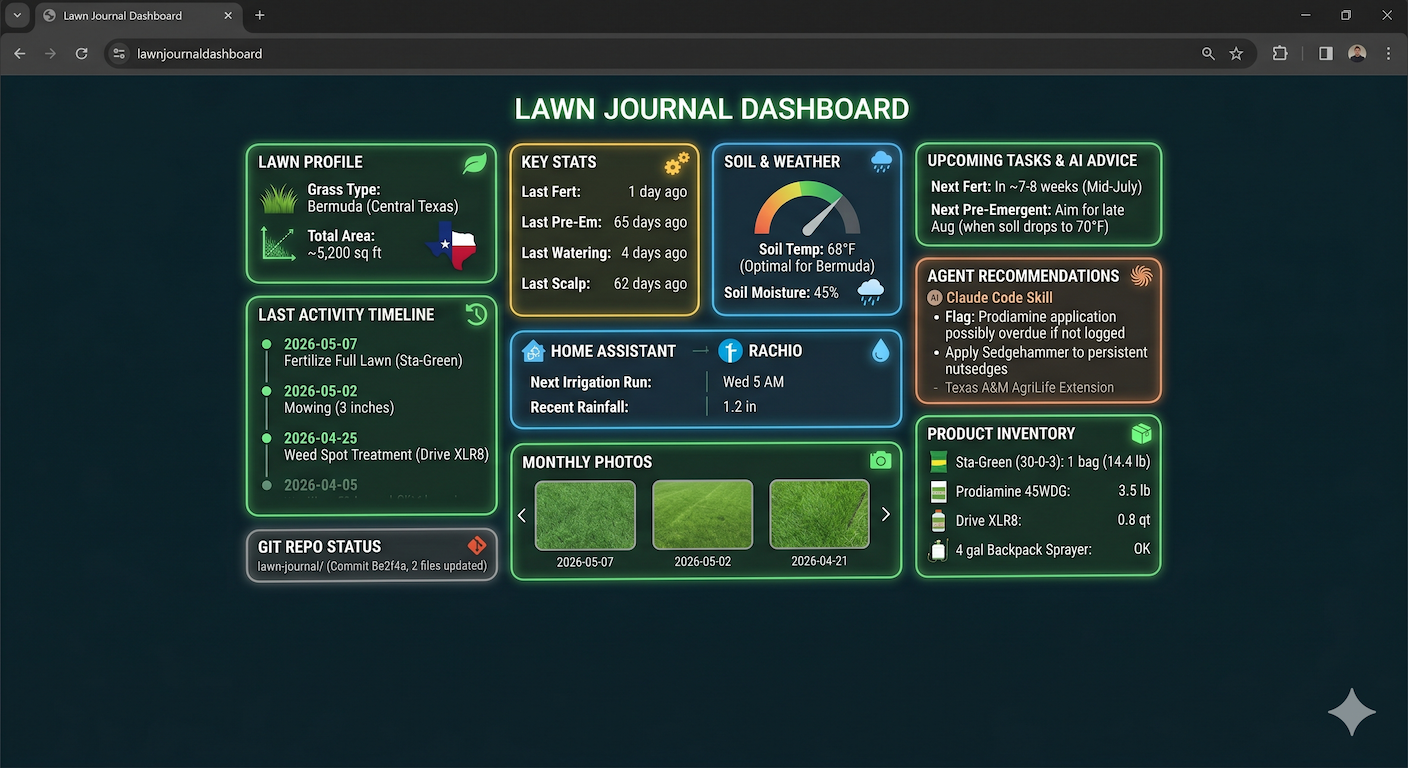
Fig 03. The future! Mock dashboard created by Gemini
- A small dashboard view. Maybe a static page generated from the journal that shows the season at a glance — last fertilizer, last pre-em, last scalp.
- Photos. A picture of the lawn each month, committed alongside the markdown, would be a much better record of green-up and weed pressure than my notes.
Mostly, I’m happy I have a consistent method to use now. It’s the smallest thing that could possibly work which is ideal. The next time I’m standing in the garage with a half-empty bag of fertilizer wondering what I did last spring, I’ll have an answer.